


Edulog Parent Portal
4.1930.00 Reviews
App Specs
- Version
- 1.18.4
- Updated On
- License
- Free
- Downloads
- 100,000+
- Developer
- Edulog
- Categories
- Education
- Platform
- Android
Screenshots
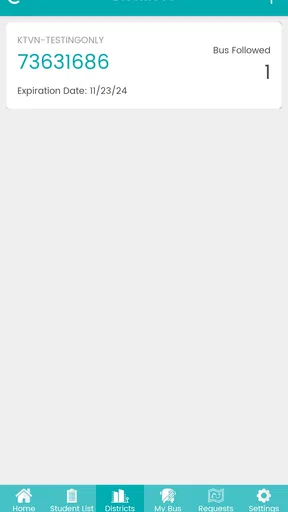
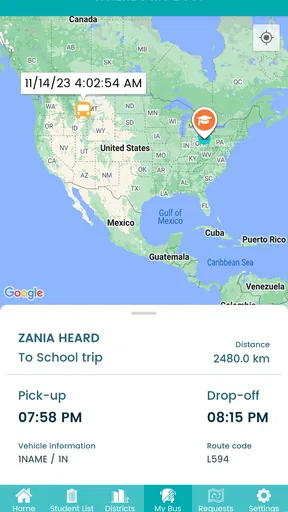
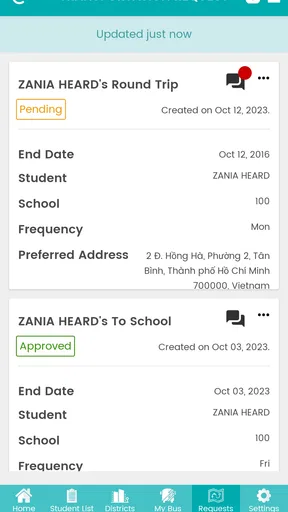
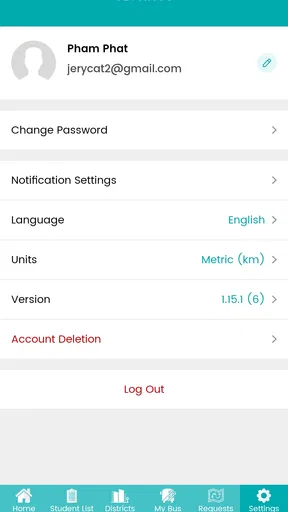
 Analysis by AppCompare
When a child’s school transportation changes during a busy day, the hardest part is often not the ride itself but knowing what is happening. Edulog Parent Portal is an education app from Edulog that focuses on putting transportation information in a parent’s hands. After spending time with it, I see its main value as a practical communication bridge between home and the school transportation system, rather than as a general school-management app.
That narrow purpose is important. If you want homework, grades, messaging, attendance, or classroom updates, this is not the tool I would choose. If your concern is getting a clearer view of your child’s school travel arrangements, it has a much more specific job. The app is free, aimed at Everyone, and has passed the point where it feels like an obscure utility: it has more than one hundred thousand installs, with an average rating of four out of five from roughly four thousand ratings.
Transportation information that is easier to manage
The central capability is simple to understand: the app gives parents a place to follow their child’s transportation information instead of relying entirely on paper notices, memory, or last-minute calls. That can make a meaningful difference on mornings when several children leave at different times or when a parent is trying to coordinate work, school, and pickup responsibilities.
What I appreciate is the focus. Many school apps try to combine every possible service into one crowded dashboard. Edulog Parent Portal is more useful when treated as a dedicated transportation companion. Its value comes from reducing the number of places a parent needs to check when the question is, “How is my child getting to or from school today?”
The app’s store summary describes transportation as being at a parent’s fingertips, but the practical meaning is more grounded than that phrase sounds. It gives transportation details a consistent home on the phone. That consistency matters because parents do not usually need this kind of information while sitting calmly at a desk. They need it while preparing breakfast, leaving for work, waiting at home, or responding to a change in the afternoon schedule.
I would not describe it as a replacement for communication with a school district. Instead, I see it as a first place to check before making a call. That distinction prevents disappointment. The app can make information easier to access, but it cannot remove the need for the school or transportation office when a child is absent, a route is disrupted, or a family’s circumstances change.
How the app fits into a parent’s routine
The most useful way to approach the app is to set it up before there is a transportation problem. A parent should treat the first session as an organization task: install the app, connect it to the child’s transportation information as required by the school system, and review what appears before depending on it for a time-sensitive morning. That early check is more valuable than downloading it during a delay and assuming everything will be ready immediately.
Worth Reading Before You Choose

EA SPORTS FC Mobile 26 Is a Bigger Football Game, but It Takes Time

Flipboard Shows What News Apps Must Do Beyond the Feed

Switching to Android Auto Means Rethinking Your Driving Routine

Google Calendar Makes a Crowded Week Easier to Manage

Ludo King Makes the Most of the Minutes Between Plans

Baby Panda World Brings Quick Play to Modern Phones, but Its Game Library Feels Busy
Once it is configured, I would make it part of two small routines. The first is an evening check for the next school day. The second is a morning glance before the child leaves. This is not about staring at the screen repeatedly. It is about using the app as a quick reference point, particularly when the family schedule is different from normal.
A useful habit is to compare what the app shows with the child’s actual plan. If a child normally rides but will be picked up by a parent, the adult should not assume that opening the app automatically changes the school’s transportation records. The app is best used to understand the information available through the transportation system, while special arrangements should still be handled through the school’s approved process.
That is one of the app’s less obvious trade-offs: convenience depends on the quality and timeliness of the information connected to it. A polished interface cannot correct an outdated record. Parents should therefore use it as a reliable reference for ordinary planning, but not as permission to skip direct confirmation when a one-off change matters.
A realistic morning and afternoon example
Imagine a parent who normally works from home but has an early appointment. The child usually takes school transportation, yet the parent needs to know whether the ordinary arrangement is still the one to expect. Instead of searching through old emails or asking the child to remember every detail, the parent can open Edulog Parent Portal as part of the morning routine and review the transportation information available there.
Later, the same parent may need to decide whether to remain at home for the child’s return or coordinate with another adult. The app is useful in that moment because it keeps transportation information close to the person making the decision. The benefit is not dramatic automation; it is fewer small uncertainties during a day when timing matters.
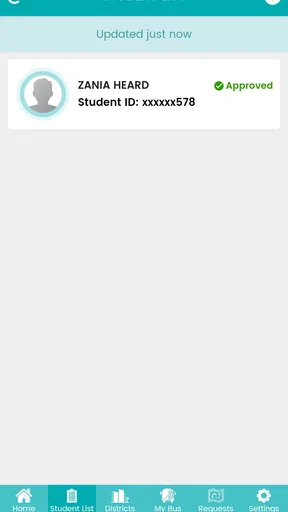
For families with more than one child, the organizational benefit can be even clearer. Each child’s travel details may need to be considered separately, especially if their schools or transportation arrangements differ. A parent can use the app as a central checkpoint rather than keeping separate notes in a phone, a calendar, and a school email thread. I would still write down unusual arrangements elsewhere, because a dedicated app should not be the only memory aid for an exceptional day.
Another practical use is preparing a caregiver. If a grandparent, babysitter, or other trusted adult is handling the afternoon, the parent can review the transportation plan beforehand and explain what to expect. The app does not replace that conversation, but it can make the conversation more concrete. Instead of giving vague instructions, the parent can use the available transportation information as the starting point.
Where it is stronger than ordinary alternatives
The usual alternatives are paper notices, school emails, phone calls, text messages, or a district website. Each can work, but they create different kinds of friction. Paper can be misplaced. Email threads can become difficult to search. Phone calls are dependable for unusual situations but inconvenient for routine checks. A website may contain the right information but require a browser, a login, and several steps every time.
Edulog Parent Portal is most appealing when the problem is repeated access. A phone app is easier to reach during a rushed morning than a folder of school papers, and it gives transportation information a more obvious place than a long email inbox. That is a modest advantage, but repeated modest advantages are exactly what make a family utility worth keeping installed.
It is not automatically better than every alternative. A district’s own communication channel may be more authoritative during emergencies, and a direct conversation with the transportation office is still preferable when the information looks wrong. Families who rarely use school transportation may also find that a browser bookmark or occasional school notice is enough. The app earns its place when transportation is a regular part of daily planning.
The friction parents should expect
The app’s focused design also creates limits. It is not a complete family organizer, and I would not install it expecting one place for every school-related task. Its usefulness depends on having the correct child and transportation information associated with the account. If setup is unclear or the school’s records need updating, the app may feel less helpful until that administrative work is resolved.
There is also a difference between seeing information and controlling transportation. Parents should not assume that checking the app changes a route, cancels a ride, or informs the school that a child will be absent. Those actions normally require the school’s established procedure. This is an important distinction for safety: the app can support awareness, but it should not be treated as a substitute for official notification.
I also think parents should avoid turning it into a source of constant reassurance. Opening any transportation app repeatedly can become stressful if a family expects minute-by-minute certainty. Its better role is scheduled checking and confirmation of the plan. When a situation is genuinely urgent, a phone call or direct school message may be faster and clearer.
Device compatibility is another practical consideration. The current version is 1.18.4 and requires Android 9 or later. That is reasonable for many phones, but families using an older device should check compatibility before making the app part of their routine. A transportation tool is only useful when it is available on the phone the parent actually carries.
Privacy, access, and family coordination
Because the app concerns a child’s school transportation, I would be deliberate about who can access the account and how the phone is protected. A parent sharing a device with other family members should remember that transportation information is not the same as a public timetable. Keeping the phone locked and avoiding casual account sharing is sensible, particularly when multiple caregivers are involved.
For a separated family or a household with several caregivers, the important question is not simply whether everyone can open the app. It is whether the adults agree on which information is current and who is responsible for acting on it. The app can reduce confusion when everyone refers to the same transportation details, but it cannot resolve disagreements about pickup responsibility or a last-minute plan.
I would also recommend checking the child’s information at the start of a new school period or after a move. Even without making assumptions about how a district updates records, this is a sensible workflow: whenever the family’s address, school, or transportation needs change, confirm that the app reflects the new arrangement before relying on it. If something appears inconsistent, contact the relevant school office rather than trying to interpret an unclear record alone.
Who will get the most from it
The strongest audience is a parent whose child regularly uses school transportation and whose day involves tight handoffs. Working parents, families coordinating several children, and caregivers who alternate afternoon responsibilities can all benefit from having transportation information in a dedicated app. It is especially useful for people who dislike searching through messages every time they need to confirm the ordinary plan.
It can also help a parent who is new to a school district and is still learning how transportation is organized. Rather than depending entirely on memory, the parent has a consistent place to revisit the available information. That makes the transition less intimidating, although I would still read the school’s official transportation instructions carefully.
The app is less compelling for a family that drives every day, walks to school, or has no regular need to consult transportation details. It is also not the right choice for someone looking for academic tools, teacher communication, grades, or attendance management. Those needs belong to other school platforms. Installing this one will not turn it into a general education hub.
Parents who want a full-featured route-planning or family-calendar system may also prefer a broader tool alongside it. A calendar can hold appointments and caregiver reminders, while this app can serve as the transportation reference. In my view, that combination is more realistic than expecting one narrowly focused application to manage every part of a child’s day.
My verdict after using it as a transportation tool
Edulog Parent Portal succeeds when the goal is clear: make school transportation information easier for parents to reach during ordinary family planning. I like its focused role, and I think the free price removes the main barrier for families who need this kind of access. The four-point average from around four thousand ratings suggests a generally positive reception, while the more than one hundred thousand installs show that it has found a real audience.
My recommendation comes with a simple rule: use it for visibility, not as the only channel for urgent changes. Check it before relying on the displayed arrangement, keep the school’s direct contact method available, and do not assume that viewing information updates the transportation record. Used that way, it can replace a surprising amount of paper-and-email searching without pretending to solve every transportation problem.
Edulog has maintained the app since its release on July 31, 2018, and the current version supports Android 9 or later. For a parent who needs a dedicated place to check a child’s school travel information, the real strength is dependable routine rather than flashy extras. I would recommend it to families who use school transportation often and want fewer small uncertainties in the morning. I would skip it if transportation is irrelevant to your household or if you are searching for a complete school-management app.
In short, this is a practical education app with a deliberately narrow purpose. It will not replace the school, the transportation office, or a family calendar, but it can make one recurring responsibility easier to handle. That is enough to make it worthwhile for the right household.
Pros
- Quick access to grades
- attendance
- schedules
- and school updates.
- Direct communication with teachers and school administrators.
- Useful alerts help parents stay informed about important changes.
- Supports better organization of homework
- events
- and deadlines.
- Convenient access to multiple children from one parent account.
Cons
- Available features depend heavily on the school’s Edulog setup.
- Some information may update slowly after changes at school.
- The interface can feel dated or less intuitive on smaller screens.
- Frequent notifications may become distracting without careful settings.
- Requires reliable internet access for most portal functions.
FAQs for Edulog Parent Portal
What is Edulog Parent Portal used for?
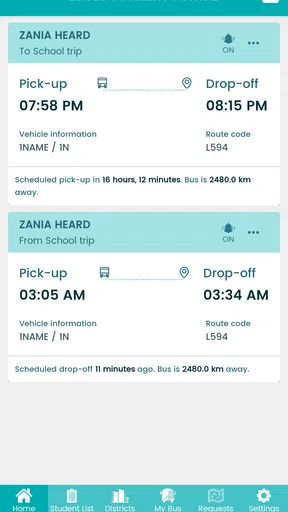
Edulog Parent Portal is designed to help parents and guardians access school transportation information in one place. Depending on the school district’s configuration, you may be able to view a child’s assigned bus, route details, pickup and drop-off locations, estimated arrival information, transportation notices, and service alerts. Available features can differ between districts, so the app may not display every option for every family.
How do I sign in to Edulog Parent Portal?
To use Edulog Parent Portal, you generally need an account or login details provided by your child’s school district or transportation department. After installing the app, select the appropriate district if required and enter your registered email address, username, or other requested credentials. If you cannot sign in, your school or district transportation office is usually the correct place to request an invitation, reset, or account update.
Can Edulog Parent Portal show my child’s live bus location?
The app may provide bus tracking, estimated arrival times, or route progress when those services are enabled by your school district and supported by the transportation system. It should not be assumed that every route offers real-time GPS information. Tracking accuracy can also be affected by cellular coverage, GPS availability, device connectivity, traffic, weather, and delays in data reported by the bus.
Why can’t I see my child’s route or transportation information?
Missing route information may be caused by an incomplete registration, an incorrect account, outdated student records, a district that has not activated the relevant feature, or a temporary service issue. Check that you are using the same contact details registered with the school and that the correct district or student profile is selected. If the information remains unavailable, contact the school transportation department rather than creating multiple accounts.
Is Edulog Parent Portal free and is it safe to use?
The app is generally available to parents without a separate purchase, although access depends on participation by the school district and any local registration requirements. Because it can display student transportation details, users should protect their login credentials, keep the app updated, and avoid sharing screenshots containing addresses or route information. Review the permissions and privacy information, and use only official district instructions when signing in.


